
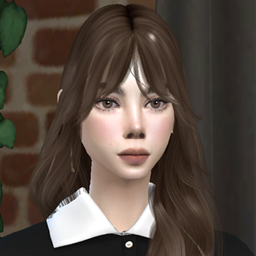
Isabella Carter
Description
ALL MY FREE & EXCLUSIVE CONTENT HERE
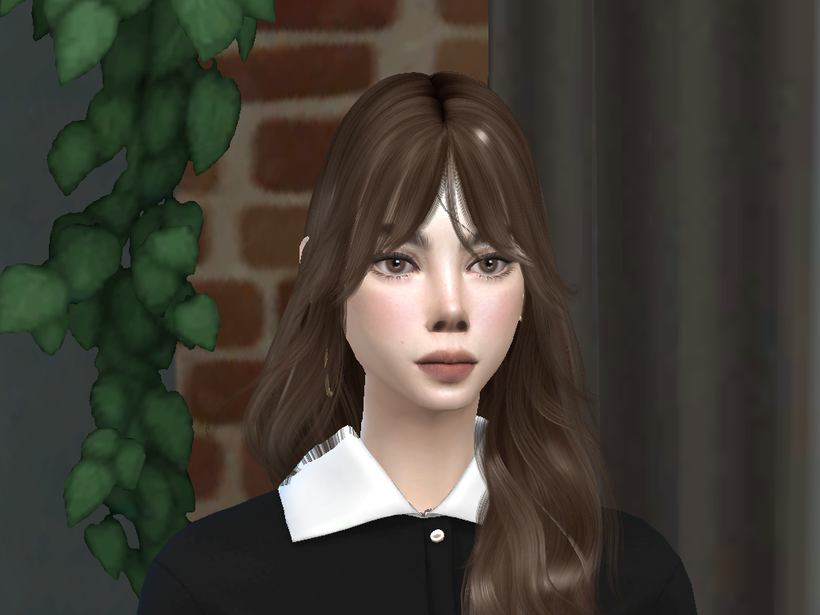
Meet Isabella Carter, a beautifully crafted Sim with a timeless look. Designed with soft, realistic details, she is the perfect fresh face for your next legacy challenge or everyday gameplay story.
- Life Stage: Teen to Young Adult
- Gender: Female
- Style: Natural, Clean Girl Aesthetic
- Traits: Randomized / Choose your own! (Personality is completely open for your gameplay stories)
- Compatibility: Base-game compatible face structure (Facial geometry will work perfectly).
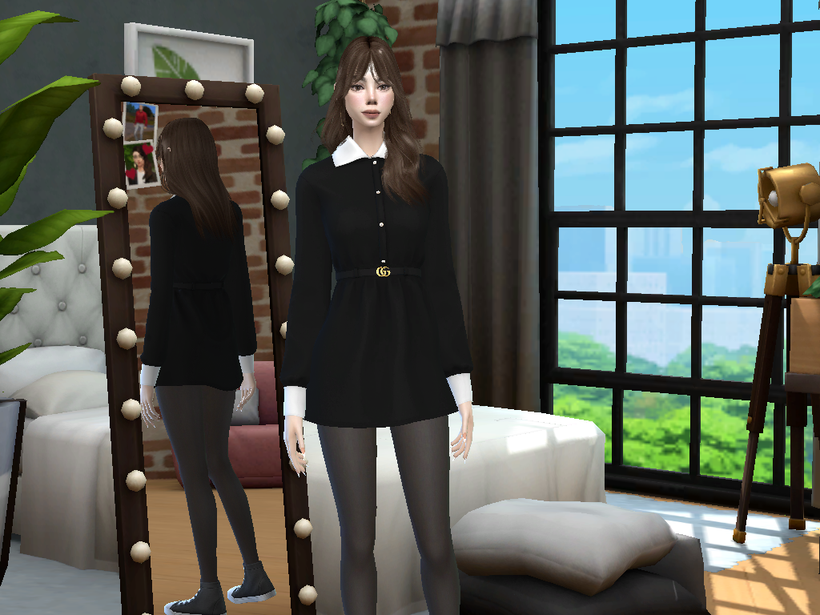
💄 CAS PARTS & CC LIST
Eyebrow: https://www.patreon.com/obscurus_sims/posts/its-here-yay-58128325 ( N47)
Eyeshadow: https://www.patreon.com/obscurus_sims/posts/make-up-presets-115144834 (18)
Blush: https://www.curseforge.com/sims4/create-a-sim/blush-28-hq
Lips: https://www.patreon.com/obscurus_sims/posts/male-cc-set-55703083 (N38)
Skin: https://www.patreon.com/thisisthem/posts/lindsay-skin-sim-153793706
Skin: https://www.patreon.com/miikocc/posts/aura-skin-129681227
Eyes: https://www.curseforge.com/sims4/create-a-sim/eyes-139-hq
👗 OUTFIT (Optional)
Dress: https://www.patreon.com/plbsims/posts/cloud-dress-44484618
📐SLIDERS USED
Nose Slider: (Obscurus Nose Slider N1 -Septum and Nostril- )
Eyebrow Height Slider: https://www.patreon.com/SatsuSims/posts/eyebrow-height-47246332
Cheek Bone Slider: https://www.patreon.com/pirumxsim/posts/slider-12-38164797
INSTALLATION INSTRUCTIONS
Please follow these steps carefully to ensure the Sim displays perfectly in your game:
-
Install CC & Sliders: Download all the items listed in the CAS PARTS and SLIDERS sections. Place those .package files into your Sims 4 Mods folder:
Documents \ Electronic Arts \ The Sims 4 \ Mods -
Install the Sim Preset: Download the project files from the Files tab on this page. Extract and move all the files directly into your Sims 4 Tray folder:
Documents \ Electronic Arts \ The Sims 4 \ Tray
(⚠️ Important: Do not put Tray files inside subfolders. They must sit directly in the main Tray folder.) -
Find Her in Game: Open The Sims 4, open The Gallery, and navigate to My Library. On the left filter panel, scroll down and check the box that says "Include Custom Content". The Sim will now appear in your library ready to be placed in CAS!