
Schedule Mod
Description
Schedule Mod v0.3.3 — Free Release
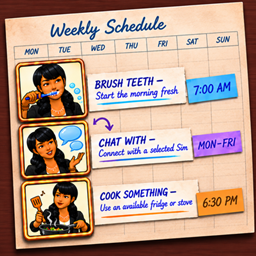
Schedule Mod gives your Sims routines that run automatically. Create recurring tasks, choose start and end times, set priorities, and let activities begin at the right time—even after loading a save or travelling.
What’s New in v0.3.3
- Added optional localization support with built-in English text by default.
- XML Injector is no longer required.
- Improved High priority tasks: seated Sims now stand before a scheduled interaction is queued.
- Improved Chat With reliability and performance, including retry handling for busy Sims and overnight schedules.
- Added recurrence badges to task icons.
- Task List is grouped by Every Day, Weekdays, and Weekends, with tasks ordered by start time.
- Complete library of 16 activities enabled.
Activities
- Brush Teeth
- Take A Shower
- Use The Toilet
- Sleep
- Change Outfit
- Cook Something
- Chat With a selected Sim
- Go Jogging
- Read
- Play Games
- Watch TV
- Paint
- Practice Programming
- Practice Writing
- Practice an Instrument
- Work Out
Object-based activities automatically look for a suitable, accessible object on the active lot. For example, Paint needs an easel and Watch TV needs a television.
Scheduling Features
- Daily, weekday, and weekend recurrence.
- Custom start and end times, including overnight schedules.
- Normal and High task priorities.
- Add, edit, pause, enable, disable, or delete tasks.
- Automatic save/load and task activation.
- Next Run, Due Now, Paused, and +1 day information.
- Notifications when schedules start, finish, or cannot begin.
- Recurring tasks are preserved after a failed occurrence.
Installation
- Remove every previous Schedule Mod installation from your Mods folder.
- Download and extract Schedule Mod v0.3.3.
- Place the included
ScheduleModfolder inDocuments/Electronic Arts/The Sims 4/Mods. - Keep the script file no more than one folder deep inside Mods.
- Enable Custom Content and Mods and Script Mods Allowed in The Sims 4 settings.
- Restart the game.
Do not install multiple Schedule Mod versions together. Existing scheduled tasks remain compatible when upgrading.
Requirements
XML Injector is not required for v0.3.3. Schedule Manager is added to Sims directly by the included script.
Optional Localization
Schedule Mod works normally without a localization file and uses built-in English text by default.
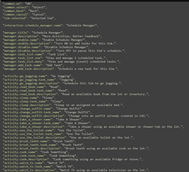
Players and translators who want customizable interface text can download the optional localization.json from the official Mod Foundry Patreon Start Here page.
If you use it, place localization.json in the ScheduleMod folder beside the package and script files. The CurseForge download works fully without this optional file.
How to Use
- Click the Sim you want to schedule.
- Open Schedule Manager.
- Select Add Task.
- Choose an activity.
- Choose a target Sim for Chat With or an outfit category for Change Outfit when applicable.
- Set start time, end time, recurrence, and priority.
- Select Save.
Support and Updates
Schedule Mod v0.3.3 is free here on CurseForge.
Follow development, vote on future features, and access Early Access builds on Mod Foundry Patreon. Patreon also includes Rental Mod Early Access, development previews, release notes, and community polls.
Need help or want to share feedback? Join the Mod Foundry Discord.