
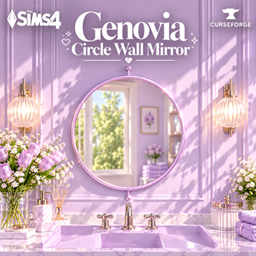
Genovia Circle Wall Mirror
Description
✨ GENOVIA CIRCLE WALL MIRROR
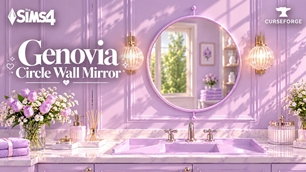
Bring a dreamy pop of color to ur Sims’ space with the Genovia Circle Wall Mirror! 🪞✨
This elegant round wall mirror features a clean circular design with a slim frame, now available in a collection of colorful Genovia-inspired finishes.
Whether ur decorating a dreamy pastel bathroom, a modern vanity area, bedroom, dressing room, or a colorful interior, this mirror is an easy little statement piece to complete the space. 💗
I started making custom content simply because I wanted more colorful and aesthetic objects in my own game, but I figured it would be way more fun to share them with u too!
Everything I create is something I’d genuinely want in my own game, and I hope u’ll love having it in urs just as much. 🥹🫶✨
🎨 FEATURES
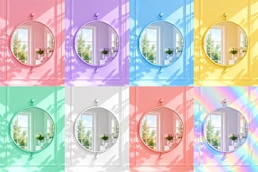
• 12 color swatches
• Pastel, holographic, metallic & classic finishes
• Elegant circular wall-mounted design
• Functional mirror
• Perfect for bathrooms, bedrooms & vanity areas
• Great for pastel, modern & colorful interiors
• Recolored by Genovia Studio 💗
• Original mesh by Bambi
🎨 AVAILABLE COLORS
• Glossy Pink
• Glossy Lilac
• Glossy Sky Blue
• Glossy Butter Yellow
• Glossy Tosca
• Holographic
• Rose Gold
• Pearl White
• Gold
• Bronze
• Silver
• Black
📌 REQUIREMENT
This is a recolor, so you’ll need the original Verona mesh by Bambi for the Genovia Circle Wall Mirror to appear correctly in your game.
👉 Download the original Verona set by Bambi here:
https://www.curseforge.com/sims4/build-buy/verona
Please make sure you have the original mesh installed together with the Genovia recolor package. 💜
📥 HOW TO DOWNLOAD
- Download the Genovia Circle Wall Mirror file from the Files tab above.
- Download the required Verona set by Bambi from the link above.
- Extract the downloaded files if they come in a
.zipfile. - Place the required original mesh and the Genovia Circle Wall Mirror
.packagefile into your Documents > Electronic Arts > The Sims 4 > Mods folder. - Open The Sims 4 and make sure Custom Content and Mods are enabled in Game Options.
- Restart your game if necessary.
- Search for Genovia Circle Wall Mirror in Build/Buy Mode and enjoy! 🪞✨
💗 THANK YOU
Thank u so much for downloading and supporting Genovia Studio!