
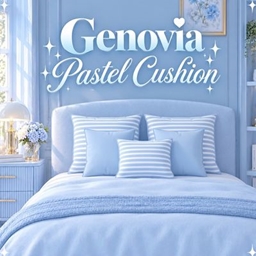
Genovia Pastel Cushion
Description
✨ Genovia Pastel Cushion
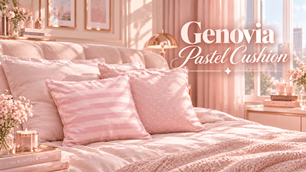
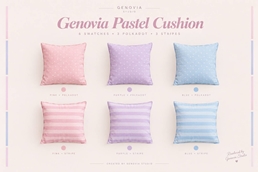
Add a soft and cheerful touch to your Sims’ homes with the Genovia Pastel Cushion! This decorative cushion comes in six pastel swatches featuring classic striped and polka-dot patterns in pink, blue, and purple. Perfect for adding a cozy and charming touch to bedrooms, living rooms, and pastel interiors.
i started making custom content simply because i wanted more colorful and aesthetic objects in my own game, but i figured it’d be way more fun to share it with u too! ✨
everything i create is something i’d genuinely want in my own game, and i hope you’ll love having it in urs just as much.
✨ Features:
• 6 pastel swatches
• 3 striped designs
• 3 polka-dot designs
• Pink, blue, and purple color options
• Decorative Build/Buy object
• Perfect for beds, sofas, and cozy room displays
• Soft pastel aesthetic
🎨 Available Colors:
• Pastel Pink
• Soft Blue
• Pastel Purple
📥 How to Install:
- Download the
.zipfile. - Extract the downloaded ZIP file using Extract All or any ZIP extraction app.
- Open the extracted folder.
- Copy the
.packagefile. - Go to:
Documents > Electronic Arts > The Sims 4 > Mods - Paste the
.packagefile into your Mods folder. - Open The Sims 4.
- Go to Game Options > Other.
- Make sure Enable Custom Content and Mods is checked.
- Click Apply Changes and restart the game if needed.
- Find the cushion in Build/Buy Mode and enjoy! ✨
Thank you for downloading and supporting Genovia Studio 💗
Created by Genovia Studio.